Clipboard Doctor vs Maccy
Both are free Mac clipboard managers that store everything locally with no cloud sync, and both can now search text inside images — Maccy added on-device OCR in v2.4.0. The differences that remain: Clipboard Doctor enables Arabic and English OCR together, with a screenshot-forward history plus tags and snippets; Maccy is a minimalist, open-source, text-first tool.
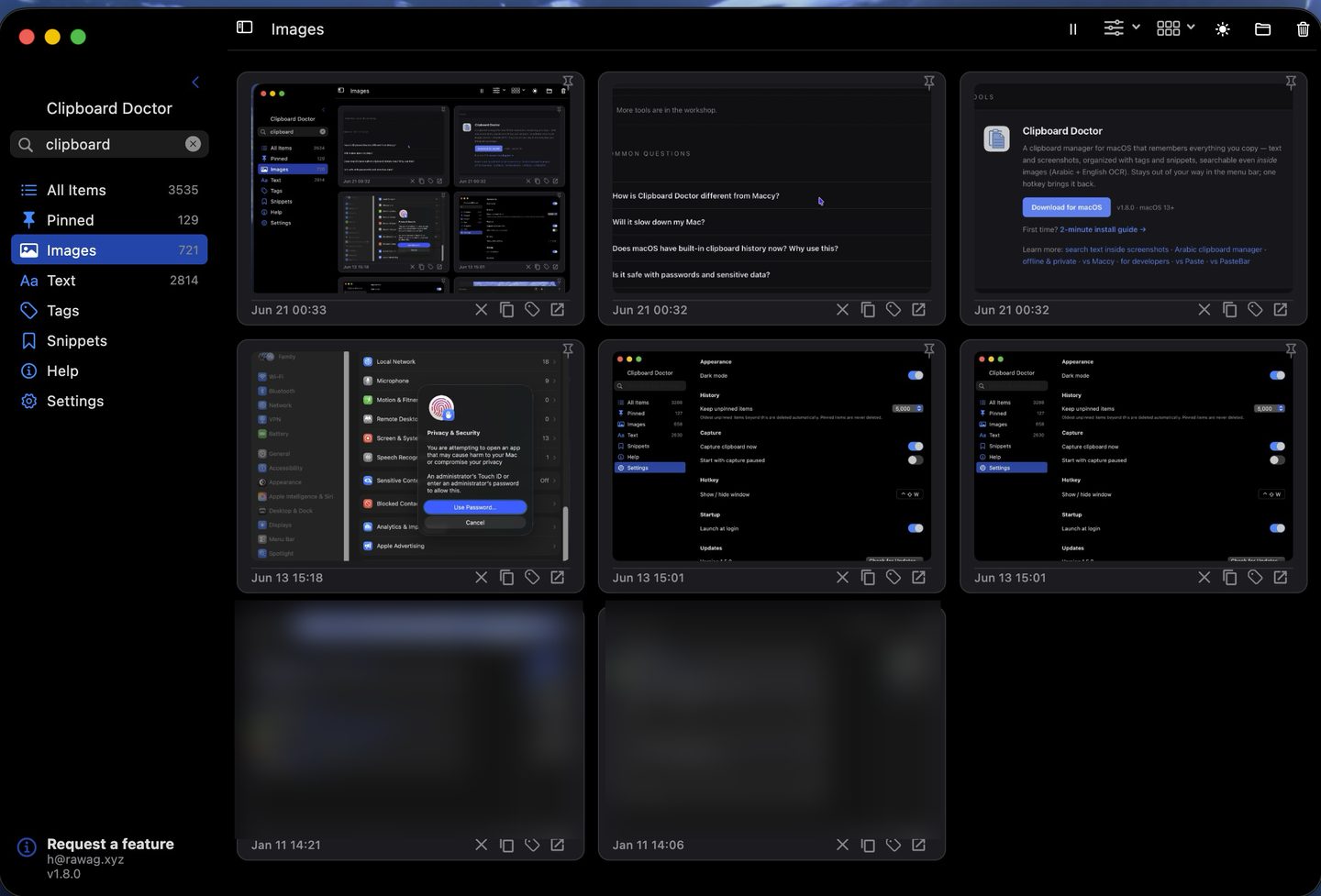
Short answer: If you want a fast, minimalist, open-source manager for text and code — with light image OCR — Maccy is an excellent choice. If you work in Arabic (or mixed Arabic–English), or want a screenshot-forward history with tags and snippets, Clipboard Doctor is built for that.
Feature comparison
| Feature | Clipboard Doctor | Maccy |
|---|---|---|
| Price | Free | Free |
| Open source | No | Yes (MIT) |
| Text clipboard history | Yes | Yes |
| Search text inside screenshots | Yes — on-device OCR | Yes — since v2.4.0 |
| Arabic OCR | Yes | Not documented |
| Screenshot-forward image grid | Yes | Minimal — text-first UI |
| Account required | None | None |
| Cloud sync | No — local only | No — local only |
| Tags and pinning | Yes | No |
| Snippets (reusable text) | Yes | No |
| Global hotkey | Yes (⌃⇧W) | Yes (⇧⌘C) |
| macOS requirement | macOS 13+ | macOS 12+ |
Where Maccy wins
Maccy is open source under the MIT license — you can read every line of code yourself. It's been around since 2019, has a large user base, and is available on the Mac App Store. If your clipboard use is entirely text-based and auditability of the source code matters to you, Maccy is a great pick.
Where Clipboard Doctor wins
Both apps now index the text inside images on-device — Maccy added OCR search in v2.4.0. Where Clipboard Doctor pulls ahead is the image-forward workflow: a searchable grid of every screenshot you copy, so you can scan captures visually and find one by the words inside it, plus tags, pinning, and reusable snippets that Maccy's minimalist design deliberately leaves out.
The clearest divide is language. Clipboard Doctor enables Arabic and English recognition simultaneously, with full right-to-left handling. Maccy's OCR is English-oriented and doesn't document Arabic — so for Arabic or mixed Arabic–English screenshots, Clipboard Doctor is the one built for it.
Download Clipboard Doctor — freemacOS 13+ · 2-minute install guide
Questions
Can I use Clipboard Doctor and Maccy at the same time?
Technically yes, but two clipboard managers listening simultaneously can cause duplicate entries or conflicts. Most users pick one. If you're evaluating, install one, use it for a week, then switch if needed.
Does Clipboard Doctor's OCR affect performance?
No noticeable impact. OCR runs asynchronously on Apple's Neural Engine (on Apple Silicon) so it doesn't block the UI or show up as CPU load. On Intel Macs it uses the Vision framework's CPU path, which is brief and background-only.
Is Clipboard Doctor's storage as private as Maccy's?
Yes. Both store history locally in a sandboxed container. Neither syncs to the cloud. Clipboard Doctor makes zero outbound connections during normal use — you can verify this with Little Snitch.
Does Clipboard Doctor work on macOS 12?
No — it requires macOS 13 (Ventura) or later to access the Vision OCR APIs it relies on. If you're on Monterey, Maccy remains a solid text-history option while you plan your OS upgrade.
If Clipboard Doctor is free and closed-source, how do I know it's private?
Maccy earns trust by being open source — anyone can read its code. Clipboard Doctor is closed-source, so it demonstrates the same privacy a different way: through behaviour you can verify yourself. It needs no account and makes zero outbound network connections in normal use — confirm it with a network monitor like Little Snitch. If nothing ever leaves your Mac, your clipboard history can't be collected, whoever wrote the code. It's free because it's a personal project, not a trial for a paid tier, and everything stays in a sandboxed local container on your Mac.
Also see: search text inside screenshots · offline & private · Arabic clipboard manager