Search text inside screenshots on macOS
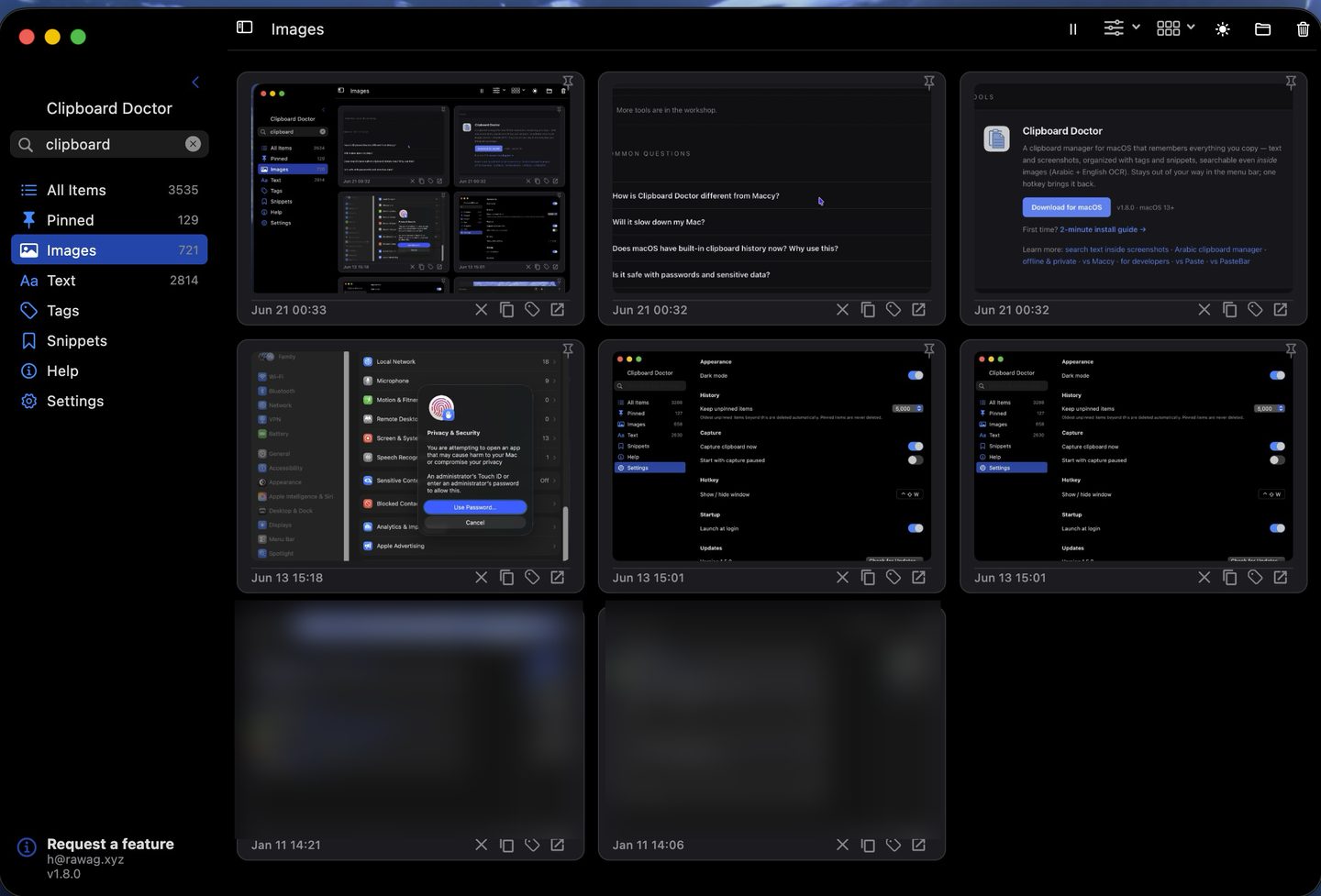
You screenshot a receipt, an error message, a slide — then later you need the text and you're squinting and retyping it. Clipboard Doctor reads the text in every screenshot you take and makes it instantly searchable.
macOS 13+ · 2-minute install guide
How it works
- Every image you copy or screenshot is added to your clipboard history automatically.
- Clipboard Doctor runs on-device OCR (Apple's Vision framework) over each one — recognizing Arabic and English text.
- The search box then matches that recognized text, so typing a word from inside a screenshot finds the image. No more scrolling through hundreds of pictures.
macOS 13+ · on-device · no account
It never leaves your Mac
The OCR runs entirely on your device — no image is ever uploaded, and there's no account or telemetry. It's a clipboard manager built privacy-first; see the privacy page for exactly what does and doesn't leave your Mac (almost nothing).
Also a full clipboard manager
Beyond screenshot search, Clipboard Doctor keeps a deduplicated history of everything you copy, with pinning, tags, snippets, and a global hotkey (⌃⇧W) to bring it back. Free, offline, no subscription.
Related: copy text from an image · clipboard manager with OCR · extract Arabic text from an image
Questions
How do I copy text from a screenshot on Mac?
macOS Live Text lets you select text from one image at a time in Preview or Quick Look. Clipboard Doctor goes further: every screenshot you copy is run through on-device OCR automatically and kept searchable, so you can find and recover the text long after you took the shot — in Arabic and English — without re-opening each image.
Does the OCR work offline?
Yes — it uses Apple's built-in Vision framework on your Mac. No internet needed, nothing uploaded.
Which languages?
Arabic and English text inside images are recognized and searchable.
Is it really free?
Yes, free with no account. It's a solo-developer tool under the rawag.xyz brand.
Why not just use Apple's free Live Text?
Live Text is great for pulling text out of one image you're looking at right now — but it can't search the screenshots you took last week. There's no history: you have to remember which image held the text, open it, then select. Clipboard Doctor runs OCR on every screenshot the moment you copy it and keeps that text searchable, so you type a word and the right image surfaces — including Arabic, which Live Text handles unevenly. It's the difference between reading one image and searching all of them.
Can't Spotlight already find text inside my screenshots?
Increasingly, yes — but only halfway. Since Live Text, macOS quietly runs OCR over image files on your disk and folds the results into the Spotlight index, so an English screenshot you saved as a file may turn up. Three gaps remain: it only sees saved files, so a screenshot you copy with ⇧⌘⌃4 (or an image pasted from Slack or a browser) never becomes a file and is never indexed; Apple's indexing runs slowly and, by its own behavior, inconsistently, well after capture; and Live Text's language list doesn't include Arabic, so Arabic screenshots stay invisible. Clipboard Doctor runs on-device OCR the moment anything enters your clipboard history — copied or saved, Arabic or English — and keeps it all in one searchable, deduplicated history with tags and snippets, instead of hoping Spotlight got around to indexing your whole disk.
How is this different from a screenshot-to-text app like TextSniper or Shottr?
Those are excellent capture-time tools: you invoke them, drag over a region, and they OCR whatever is on screen right then. Clipboard Doctor works the other way around — it runs OCR on every screenshot the moment it enters your clipboard history and keeps that text searchable afterward, so you never have to decide at copy time that you'll want the text later. Weeks on, you type a word and the screenshot that held it surfaces — in Arabic as well as English. Grab-and-OCR tools answer "get the text off my screen now"; Clipboard Doctor answers "find that screenshot I copied last week." Many people happily use both.
What about apps that search your saved screenshots for text?
A growing class of Mac tools indexes the image files already sitting in your folders and lets you search those files by the text inside them. Clipboard Doctor works on a different surface: it makes the screenshots and images you copy searchable in your clipboard history — so a shot grabbed with ⇧⌘⌃4, or an image pasted straight from Slack or a browser, that never became a file on disk is still findable by its text. If your goal is to comb a folder of saved screenshots, a file indexer is the right fit; if it's to recover the text from something you copied, that's Clipboard Doctor — and it stays fully on-device with no account, is free, and reads Arabic as well as English, which most of those tools don't. One searches your disk; the other searches your clipboard. Plenty of people run both.